10% of Your Listings Changed Last Week, But Nobody on Your Team Noticed
Listing drift — hours changing, pins moving, competitor edits — happens constantly and most teams don’t catch it in time. Here’s how UB-I’s intelligent monitoring closes that gap.
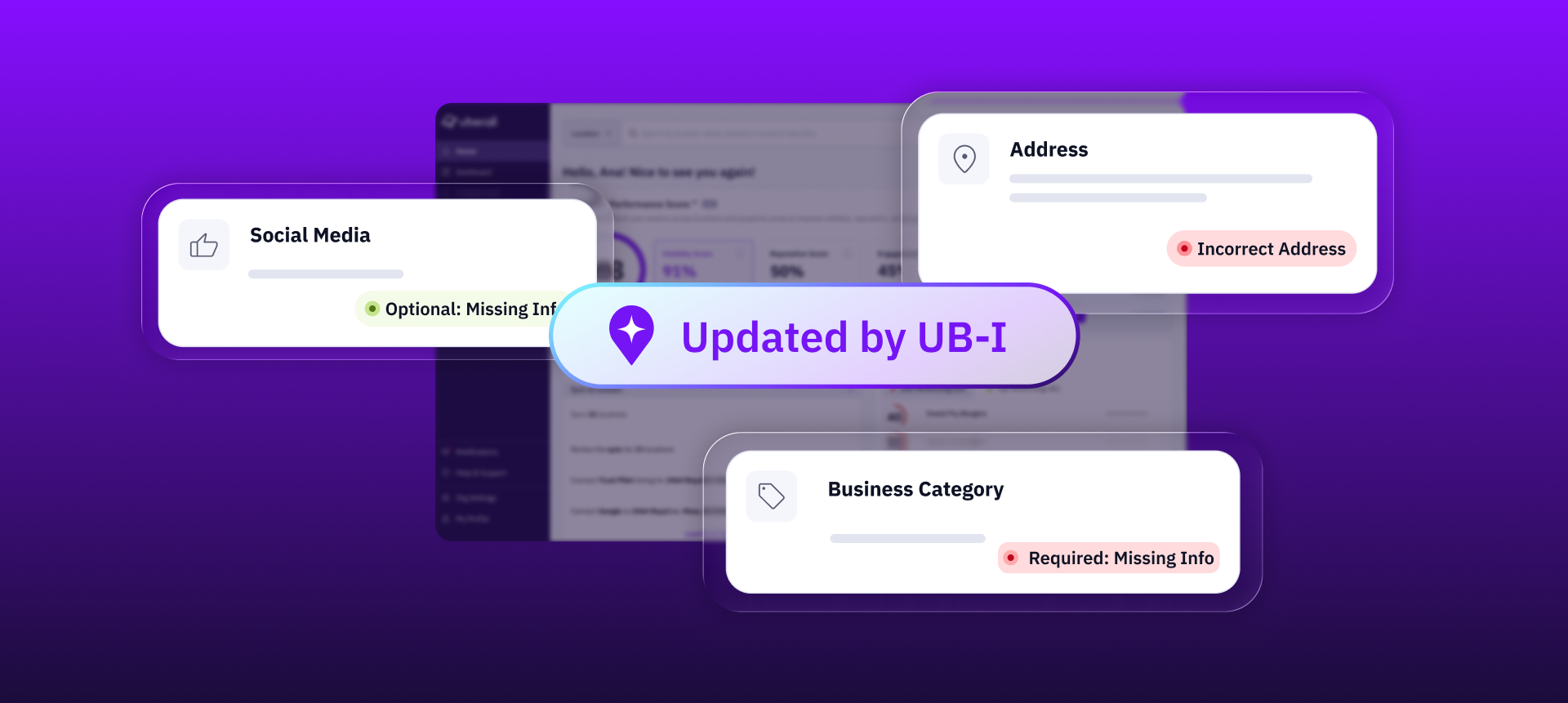

- “Listing drift” — i.e. hours getting overwritten, pins moving, competitor edits replacing your data — often happens across directories, and most teams miss it
- If your location data is outdated or inconsistent across directories, AI tools might route the customer somewhere else more reliable
- UB-I monitors every listing across every directory around the clock, and when it finds a problem — wrong hours, missing descriptions, pending reviews — it drafts the fix and queues it for your team to approve

Customers can “correct” your hours on Google; competitors can submit an edit to your profile; your geopin can mysteriously migrate to the middle of a lake. Free underwater WiFi would be quite the attribute to boast about.
On a serious note: These kinds of listing inaccuracies get noticed by your team or they get noticed by a customer. Both parties are miffed (understatement), but one probably means lost revenue or trust and the other means digging through dashboards to check for more.
We hear about this from multi-location brands every week — usually ones who came to us because they’ve been annoyed with these happening for too long. At a self-storage company with 153 locations, the marketing manager spent two straight days uploading holiday hours manually — I’ll let you imagine how they could have spent those two working days differently.
A QSR brand with 36 locations told us their marketing lead was manually checking every listing on Google, Apple Maps, and Yelp every single day, not because she had the time, but because there was no other way to catch what had changed.
An EV charging network found duplicate listings, wrong coordinates, and three different phone numbers on the same location. A big nope for NAP consistency.
These brands needed something watching every listing, across every directory, around the clock, identifying what changed, what needs changing, and why it matters. That’s what UB-I, our AI agent for location performance, does — intelligent monitoring that catches dreaded drift before your customers do.
Don’t Wait for AI Search Results to Hop, Skip, Jump Over Your Location
Straight out the gate, here’s what is at stake: AI systems like ChatGPT are reading location data, referring potential customers to local businesses based on this data — essentially making buying decisions for customers. As of May 2026, Adobe even reported that AI-referred traffic to US retail sites converts 54% better than any other channel.
They read what your listings say, check them against your competitors, and pick the suitable recommendation per query.
Lo and behold your location has 3 phone numbers, the wrong coordinates, or duplicate listings, AI tools will search for the next more trustworthy local business.
This is a problem for more than 2 of 3 brands, who are missing entirely from AI-generated recommendations in their category, according to our GEO playbook released earlier this year.
But it’s often a suffer-in-silence situation at the moment; teams don’t see a bounce in their analytics or a drop in click-through to diagnose. Sure, a human customer might call or notify you if they found incorrect hours on your listing. But for those relying on AI tools for their local searches, incorrectness often gets covered up by complete omission — you’re not going to get recommended if you’re not recommendable.
As our Product Marketer Pat Johnson elaborates: “The amount of data that multi-location marketers are responsible for is overwhelming: Every location has dozens of data points that need to be managed — and that’s just on Google. Savvy brands are on at least a handful of directories: Google, Facebook, Bing, Yelp, and maybe industry-specific ones too. You didn’t hire your marketing team to clean data – you hired them to engage your audience. The more data on their plate, the less time they have to do what you hired them to.”
Stopping AI tools from skipping your location starts with having something watch over your listings as often as AI tools are reading them. Protecting them, almost.
Don’t Block Two “Admin Days” to Check Your Listings Are Still OK
We don’t want to hear of precious time and headspace going to semi-regular listings checks out of anxiety they’ve been overwritten by a force majeur. That’s not what multi-location brand marketing is about.
That’s why we built UB-I. The AI agent doesn’t sit outside your data and scrape it periodically. It runs inside the Uberall platform, connected to live listings, reviews, and performance data across all your locations. That gives it access to signals a standalone monitoring tool would never see.
We know that not everyone on every team has the same level of Uberall platform knowledge or the same amount of time to dig through insights either. Some are onboarding; others have been in the platform for years. But UB-I helps both.
UB-I watches for:
- Missing or outdated listing information: hours that weren’t updated for a holiday, descriptions that got overwritten, categories that dropped off
- Suspicious changes: a location disappearing from Google, a geopin that moved, an attribute that changed without anyone on your team making the edit
- NAP inconsistencies across directories: your phone number says one thing on Google, another on Apple, a third on Yelp
- Gaps in completeness: locations missing photos, holiday hours, or categories that drag down their Location Performance Score
- Missed opportunities: locations with no recent social content, low-quality visuals, or metadata gaps
UB-I doesn’t wave a red flag and an exportable spreadsheet of errors in your face when you log in. Because that would be unhelpful and also still require some admin days to fix.
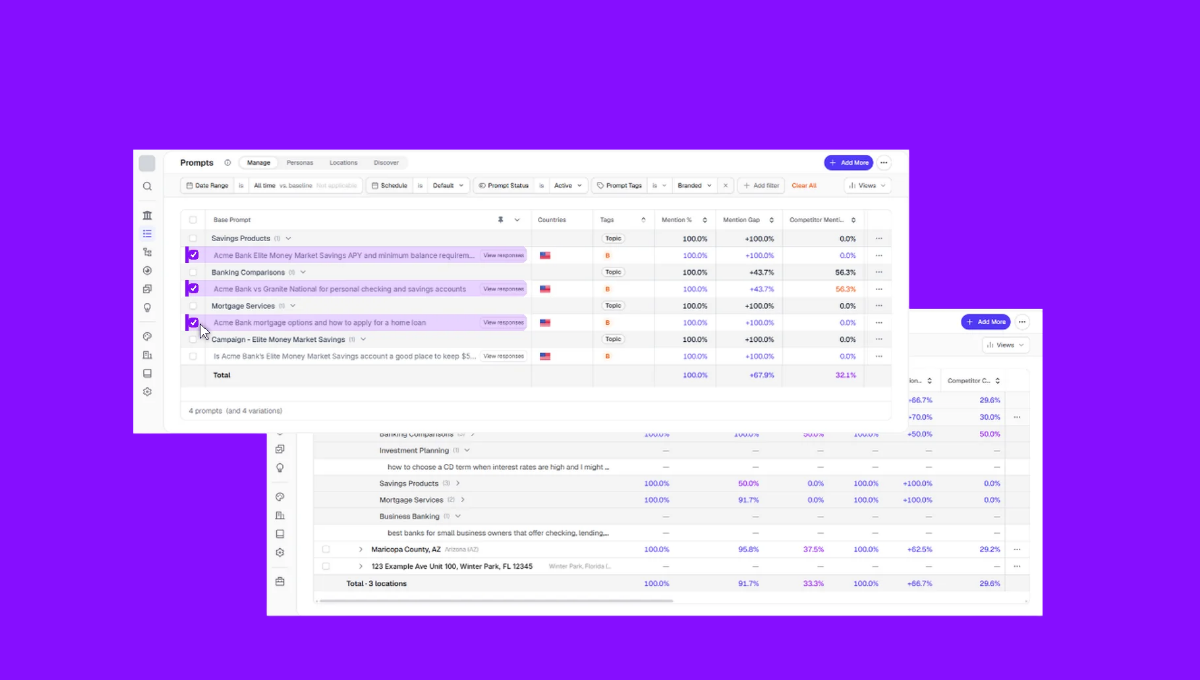
When it finds a problem, it sets out to fix it: It drafts review replies for pending reviews (negative ones first), corrects name and address formatting to match what each directory expects, and fills in missing descriptions, attributes, and special hours using your existing location data. Everything lands on the UB-I Agent page, ready for you to approve, edit, or reject before anything goes live.
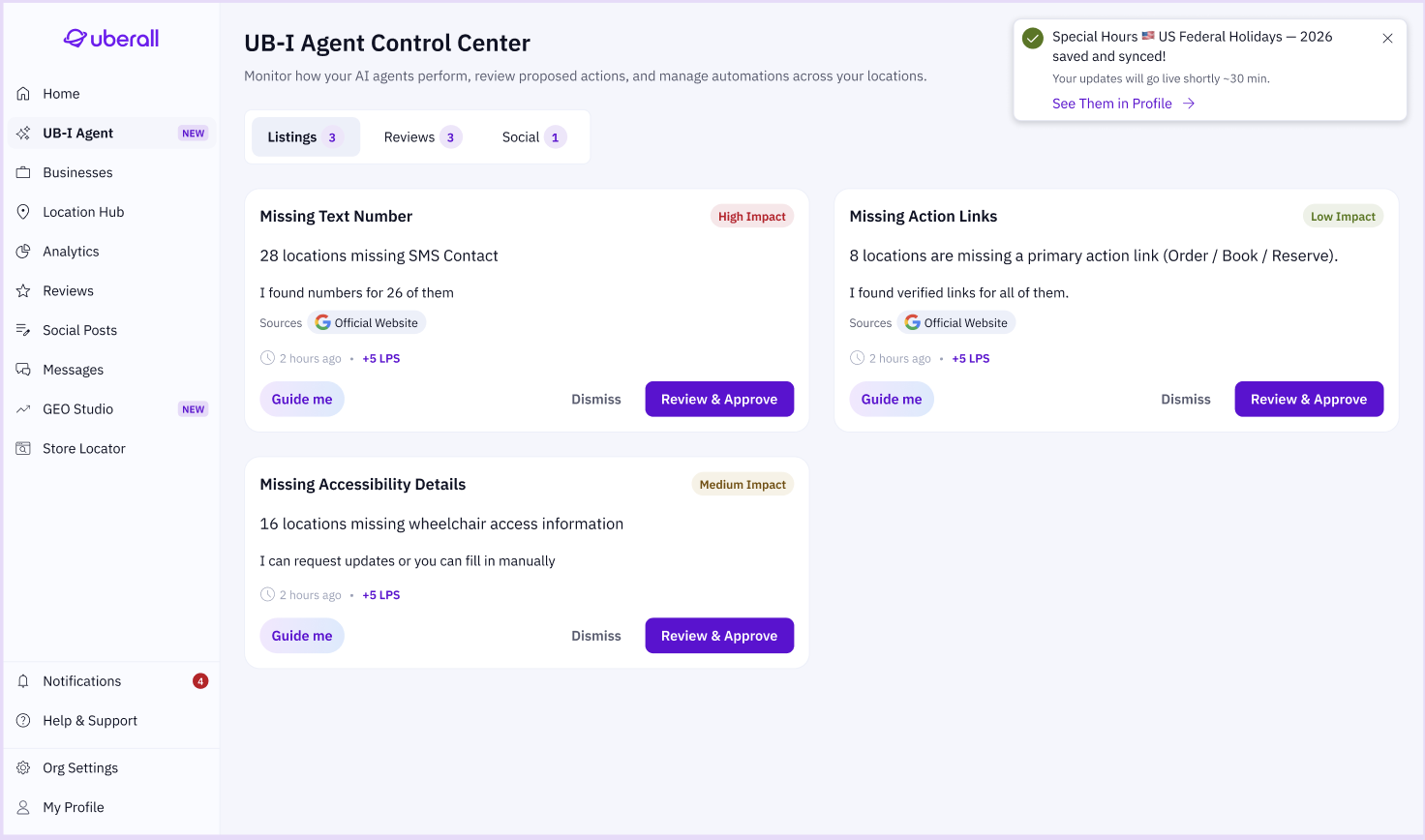
During a demo with a prospect, UB-I flagged that 12 of their locations had low AI visibility and recommended adding specific action links to their local pages — things like “view menu” and “order online” — to increase their discoverability. It also identified trending positive customer reviews about a new menu item and suggested a social campaign on the back of that insight.
It proactively alerted that public holidays were approaching in one region, nine locations were affected, and offered to update their hours based on last year’s data.
UB-I doesn’t replace your analytics or your brand strategy. It makes quick fixes into quick approvals, in order of priority, that make immediate sense to the person logging in. Whether that’s a marketing manager at a self-storage company, a marketing lead at a QSR brand or a data marketer at an EV charging network.
An admin week becomes “approval hour” because UB-I catches the opportunities and fixes that affect your Location Performance Score around the clock, ranks them by business impact — visibility, reputation, engagement, revenue — and gets you to just check you’re happy to go ahead with the updates. It also learns from every approval and dismissal, so the suggestions get sharper the more your team uses it.
Location Data Is Slippery and Brands Can’t Lock it In at Scale
Nobody on a four-person marketing team at an enterprise brand has the bandwidth to check every listing across three directories every morning.
And yet AI tools might read whatever’s live right now, not what you published last week.
Directories accept third-party edits, but you don’t have to accept being blind to them and other changes to your listings.
See what UB-I is already catching across your locations, and book a demo with our team.



1,800 brands trust us to stay visible
— not just show up once or twice in local search.





Frequently Asked Questions
Uberall’s agentic AI has an intelligent monitoring capability, which checks every location’s data across every directory around the clock — not on a schedule, not when someone remembers to check. It compares live listing data against your source of truth, flags changes and gaps the moment they happen, and prepares fixes ranked by business impact. For multi-location brands, it replaces the reactive cycle of periodic manual audits with continuous, automated surveillance that catches problems before customers or AI search engines do.
Manual listing checks are a pain for so many multi-location brands. Someone on your team opens each directory, scans for errors, and fixes what they find — then repeats the process days or weeks later. AI-powered monitoring runs continuously, comparing live data against your source of truth and flagging changes the moment they happen. This saves time for anyone manually checking Google, Apple Maps, and Yelp every day because there was no other way to catch what changed.
UB-I monitors various categories across every location and directory: Missing or outdated listing information (hours, descriptions, categories that dropped off), suspicious changes (a location disappearing, a geopin that moved, an attribute edited without your team’s input), NAP inconsistencies across directories, and missed profile opportunities (missing photos, holiday hours, no recent social content or low-quality visuals). Everything it finds lands on UB-I Agent Control Center page, ranked by impact, in the Uberall platform.
UB-I ranks every issue by its expected impact on business performance across four dimensions: visibility, reputation, engagement, and revenue. A negative review at a high-traffic location, for example, gets prioritized over a missing attribute at a low-visibility one. This means the person logging in sees the highest-impact fixes first — not a flat list of errors sorted randomly. UB-I also learns from every approval and dismissal, so prioritization gets sharper the more your team uses it.
Yes, UB-I catches changes regardless of who made them. Customers can suggest corrections on Google, competitors can submit edits to your profile, and directories auto-update fields using third-party data sources — none of which notify your team. Because UB-I runs inside the Uberall platform connected to live listing data, it sees these changes the moment they happen, flags what’s different, and drafts the correction for your team to approve.
Intelligent monitoring helps with AI search visibility by keeping your location data accurate and consistent at all times — which is exactly what AI tools like ChatGPT evaluate when deciding which businesses to recommend. If your data has become out of date since your last manual check, AI tools may skip your locations entirely. Continuous monitoring prevents that by catching changes before AI search engines do.
When UB-I finds a problem, it drafts the fix instead of just alert you or send you an error message. For missing data, it generates descriptions, attributes, and special hours from your existing location information. Everything lands on a page within the Uberall platform, ready for your team to approve, edit, or reject before anything goes live.
UB-I doesn’t replace your marketing team; instead it removes the manual monitoring and data-cleaning work that shouldn’t be their job in the first place. You didn’t hire your marketing team to clean data; you hired them to engage your audience. UB-I handles the surveillance and fix preparation so your team can focus on strategy, campaigns, and customer engagement. The more locations you manage, the bigger the time savings — what used to take admin days now takes approval minutes.